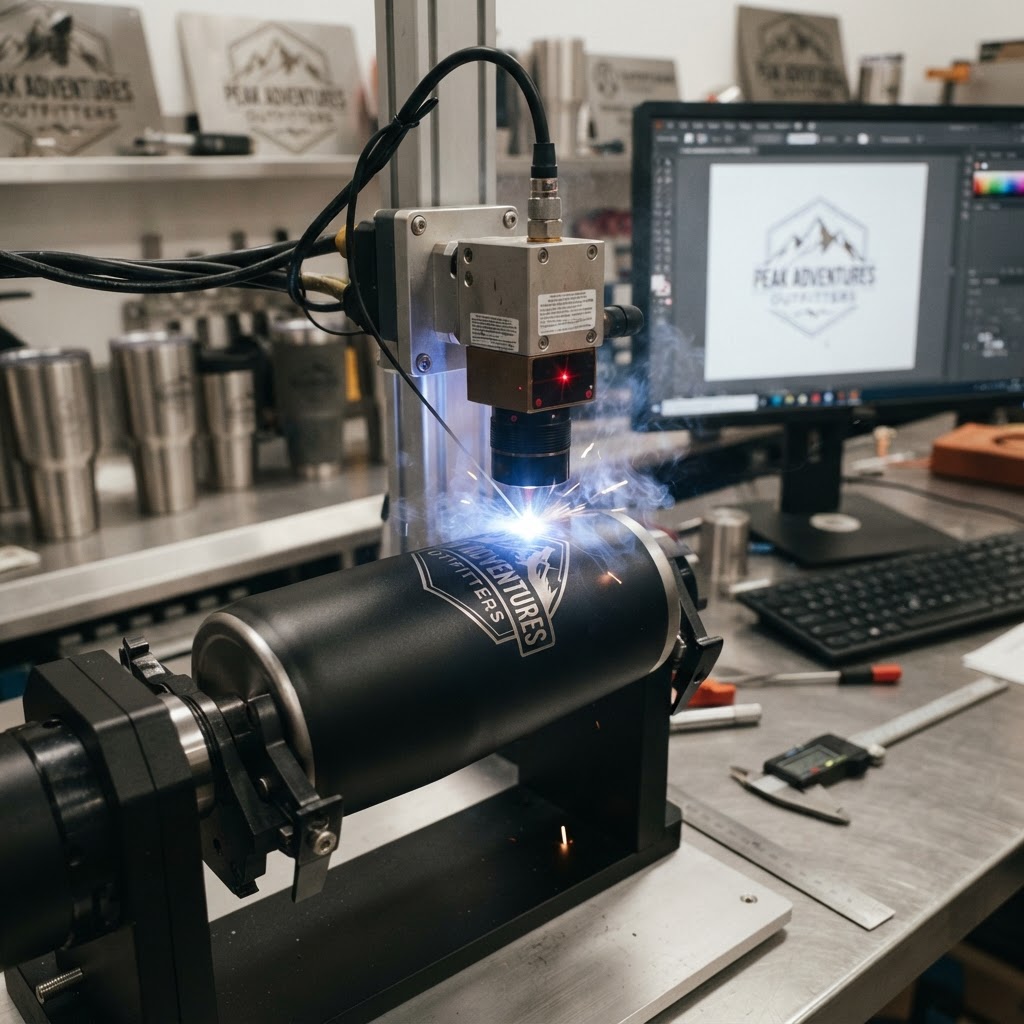
How to Prep Your Logo File for Laser Engraving on Tumblers
Need this made for your team?
Send your artwork or idea and we will come back with a price in one business day. Bulk pricing available.
You probably have a folder on your desktop labeled "Company Logo Final Final V3" and honestly, I feel your pain. We have seen every version of a logo you can imagine here at Perfect Etch. From blurry JPEGs pulled off a website to screenshots taken on a phone, the struggle is real. But here is the thing. When you want that sharp, professional look on your custom tumblers, the quality of your file makes all the difference.
We love helping businesses and folks around New Braunfels get their gear looking crisp. Whether you are prepping for a corporate event or just want a personalized gift that looks high end, getting your file right is the first step. If you want to learn more about how we handle the process from start to finish, check out our guide on Custom Engraved Drinkware.
Why your file type matters more than you think
If you send us a small JPEG or a PNG, the laser is going to have a hard time. Think of it this way. A JPEG is made of a fixed grid of tiny colored pixels. If you try to make that image larger, the pixels get jagged and blurry. Our laser machines are incredibly precise. They follow paths. If the path is jagged because the image quality is low, the laser will engrave those jagged lines right onto your metal cup.
You need a vector file. I know that sounds like technical jargon, but it is actually quite simple. A vector file is basically a set of math instructions. Instead of pixels, the computer stores your logo as shapes, lines, and curves. Because it is math, you can stretch it to the size of a billboard or shrink it down to fit on a keychain, and it will stay perfectly smooth.
The golden standard for laser prep
The absolute best format for us is an AI, EPS, or PDF file that contains actual vector paths. If you open your file in a program like Adobe Illustrator or Inkscape and you can click on the individual letters or lines of your logo, you are in great shape. That tells me the file is vectorized.
If you do not have access to design software, do not worry. You can often check your file by zooming in on it on your screen. If you zoom in at 400 percent and the edges stay crisp and smooth, it is likely a vector. If you zoom in and it starts looking like a blocky staircase or a blurry mess, that is a raster file. That is the one we want to avoid. If all you have is a raster file, we might be able to trace it for you, but it takes extra time and sometimes the details get lost in translation.
Text and fonts need special attention
Here is a common trap. You send us a beautiful file, but you forgot to outline your fonts. If we open that file on our shop computers in New Braunfels and we do not have that specific font installed, our system will swap it for something else. Suddenly, your brand looks totally different.
Before you send over your file, make sure to convert all your text to outlines or paths. In Illustrator, this is just a quick right click. It turns the text into a shape. Once that is done, the computer sees the letters as a drawing rather than a font file. This ensures that what you see on your monitor is exactly what we engrave on the metal. It saves us a lot of back and forth emails, which means you get your order faster.
Keep it clean and simple
Lasers love high contrast. A solid black logo on a white background is the gold standard for our software. We do not need colors. In fact, colors can sometimes confuse the software because it tries to interpret different shades of gray as different depths of engraving. While we can do some cool shading effects, keep your file black and white for the best results.
Also, try to strip out any extra stuff you do not need. If your logo has a thin border around it that is not necessary, delete it. If there is a background box that matches the tumbler color, get rid of it. If the laser is trying to engrave the background of your logo, it might not look the way you want. You want the laser to focus only on the actual design elements that matter.
How we handle the engraving process
Once we get your vector file, we import it into our laser software. We set the power, speed, and focus distance based on the material of the tumbler. Metal tumblers have a powder coat finish, and our goal is to burn away that coating to reveal the stainless steel underneath.
Because we are working in Central Texas, we see a lot of Yeti, Stanley, and generic stainless steel drinkware. Each one reacts differently to the laser. Some have thick coatings that require a bit more power. Others are thinner and require a delicate touch so we do not mar the metal underneath. Having a clean vector file allows us to dial in those settings perfectly.
A quick checklist for your next order
Before you hit send on that email, run through this quick list. It will make our lives much easier and your gear look incredible.
- Is your file in a vector format like AI, EPS, or PDF?
- Did you convert all your text to outlines?
- Is your logo in solid black?
- Are all unnecessary background elements deleted?
If you can check those boxes, you are golden. We take a lot of pride in the work we do here at Perfect Etch. Whether it is a single piece or a bulk order for a local company event, we want it to look sharp. If you are still feeling unsure about your file or you just want to talk through a project idea, give us a shout. We are always around the shop and happy to help you get your artwork dialed in.
Tell us about your project
Share the basics and we will come back with pricing, options and a timeline. No obligation.